I gave Gemini Canvas a sketch. The app worked, but check the code
Published:
A wireframe and one prompt became a working packing checklist in Gemini Canvas. The tests passed. The code still loaded outside services I had said no to.
Video
What you want
You have a small app in your head: a checklist, a counter, a simple form. You can sketch it, but you don't want to write it. You want to hand the sketch to an AI, get something you can click, and know what to check before you trust it.
A method you can follow
- Draw the screen. Mine was a digital wireframe, not a photo of paper: a "Weekend packing" title, a "0 / 4 packed" counter and four unchecked boxes for Charger, Toothbrush, Passport and Socks.
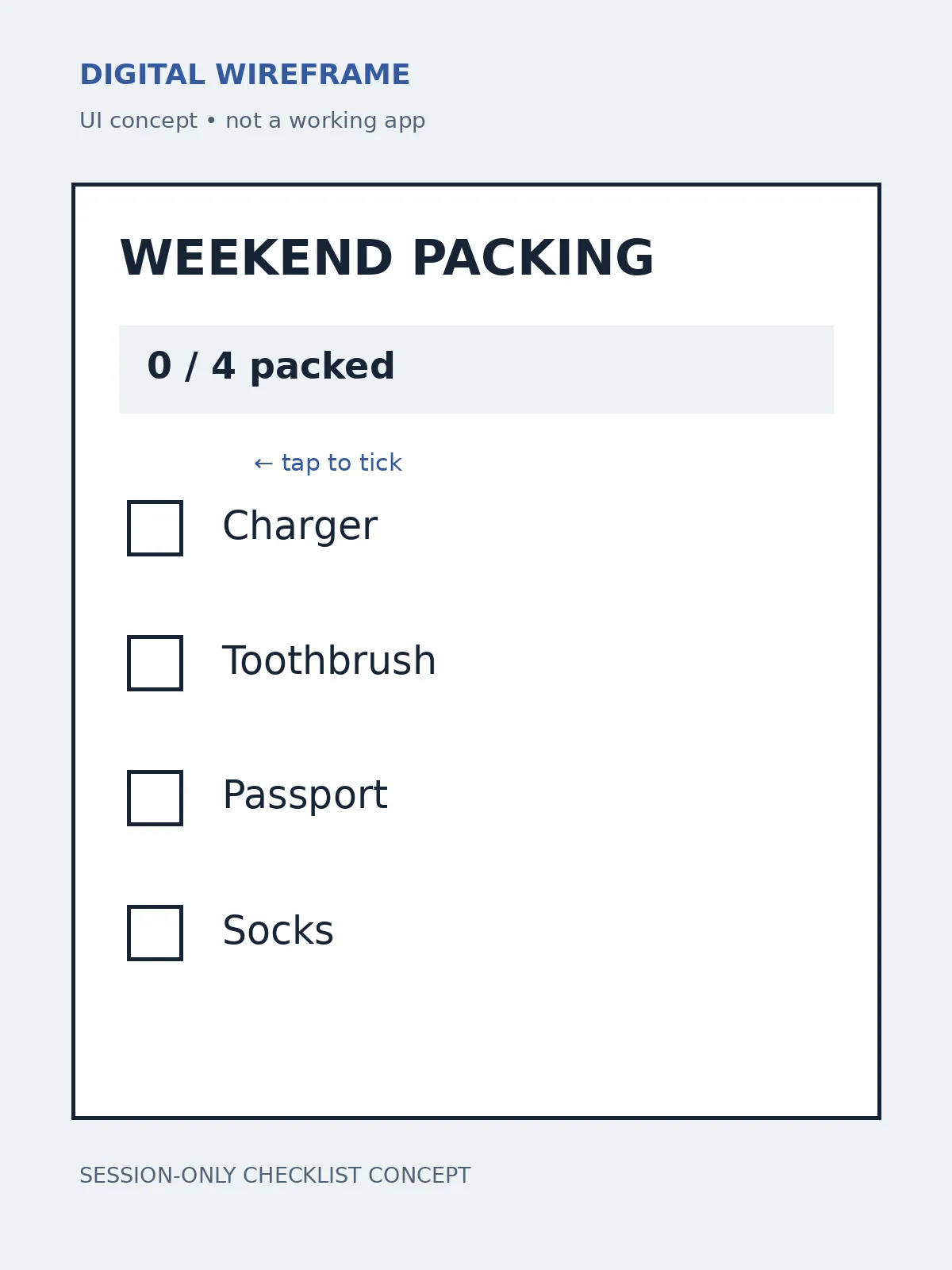
- In Gemini on the web, choose Canvas, attach the image and send one prompt (below). I tested this on 7 November 2026, signed in, with the Flash-Lite model and Gemini's interface in Danish.
- Test the preview yourself before you ask for anything else. Write down what you expect, then click. I expected the counter to follow every tick and untick.
- Ask for changes in the same chat, one at a time. My follow-up asked for a reset button.
- Open the code view and look for what you said you didn't want.
What happened in my test
Gemini built the checklist on the first try, with the four items in the right order and the counter at 0 / 4. Ticking Charger gave 1 / 4. Unticking it went back to 0 / 4. All four ticked gave 4 / 4.
After the follow-up, a Reset packing button appeared below the items. With two items ticked, reset cleared every box and set the counter back to 0 / 4. With all four ticked, the same.
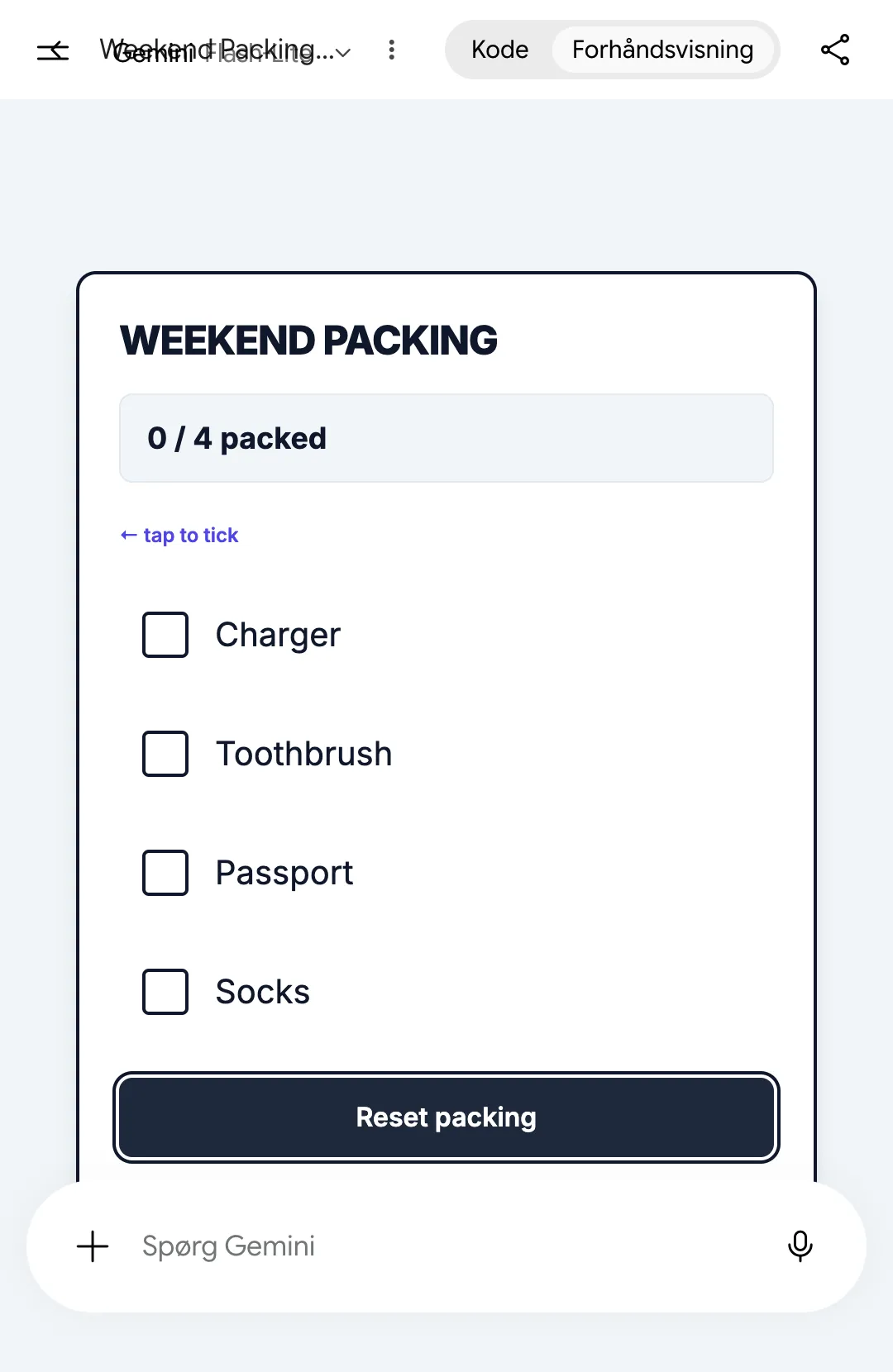
Then I read the code. The checklist kept its state in memory only: no local storage, no cookies, no network calls from its own script. But I had asked for no external services, and the page still loaded Tailwind from cdn.tailwindcss.com and the Inter font from Google Fonts. It did that in two separate generations. The app worked. It just didn't follow every instruction.
A prompt you can copy
This is the first prompt I sent with the wireframe attached, word for word. Swap in your own title and items.
Turn the attached digital wireframe image into a working, responsive web app in Canvas, and show it in the preview. This is a weekend packing checklist, not a picture of an app. Match the simple layout: title "Weekend packing", a "0 / 4 packed" counter, and four initially unchecked items in this order: Charger, Toothbrush, Passport, Socks. Make each checkbox toggle on and off, and immediately update the packed counter in both directions. Use large tap targets, high contrast, and readable text on a narrow screen. The "DIGITAL WIREFRAME" and "UI concept" labels describe the reference image, not app UI; omit them from the app. Keep everything in memory for this session only; do not add a backend, storage, sign-in, analytics, external services, or Gemini-powered features. Do not create a public sharing link. Do not add a reset button yet.And the follow-up, in the same chat:
Add a clearly labelled "Reset packing" button below the items. Clicking it must uncheck all four items and set the counter to "0 / 4 packed". Keep everything else unchanged, including the session-only data and no backend or external services.What to check
- Every behaviour you asked for, in both directions. Tick and untick, the highest value and back to zero. A counter that only counts up is easy to miss.
- The code, for what you said no to. Search it for
http,fetch,localStorageand<script src. A line in the prompt is a request, not a guarantee. - Sharing. Google's help page says a public link to a Canvas app can let anyone with the link see the app's data. I didn't create one, and I wouldn't for anything personal.
- Where it lives. The code keeps the list in memory only, as I asked, so it won't remember anything after a reload. That's fine for a test, not for a list you need next weekend. I didn't test sharing or other devices.
- What it is. This is a prototype in a preview window, not an app you've reviewed and deployed.